Top 10 Modern UI/UX Prompts for a Clothing E-commerce Website with Three.js + GSAP
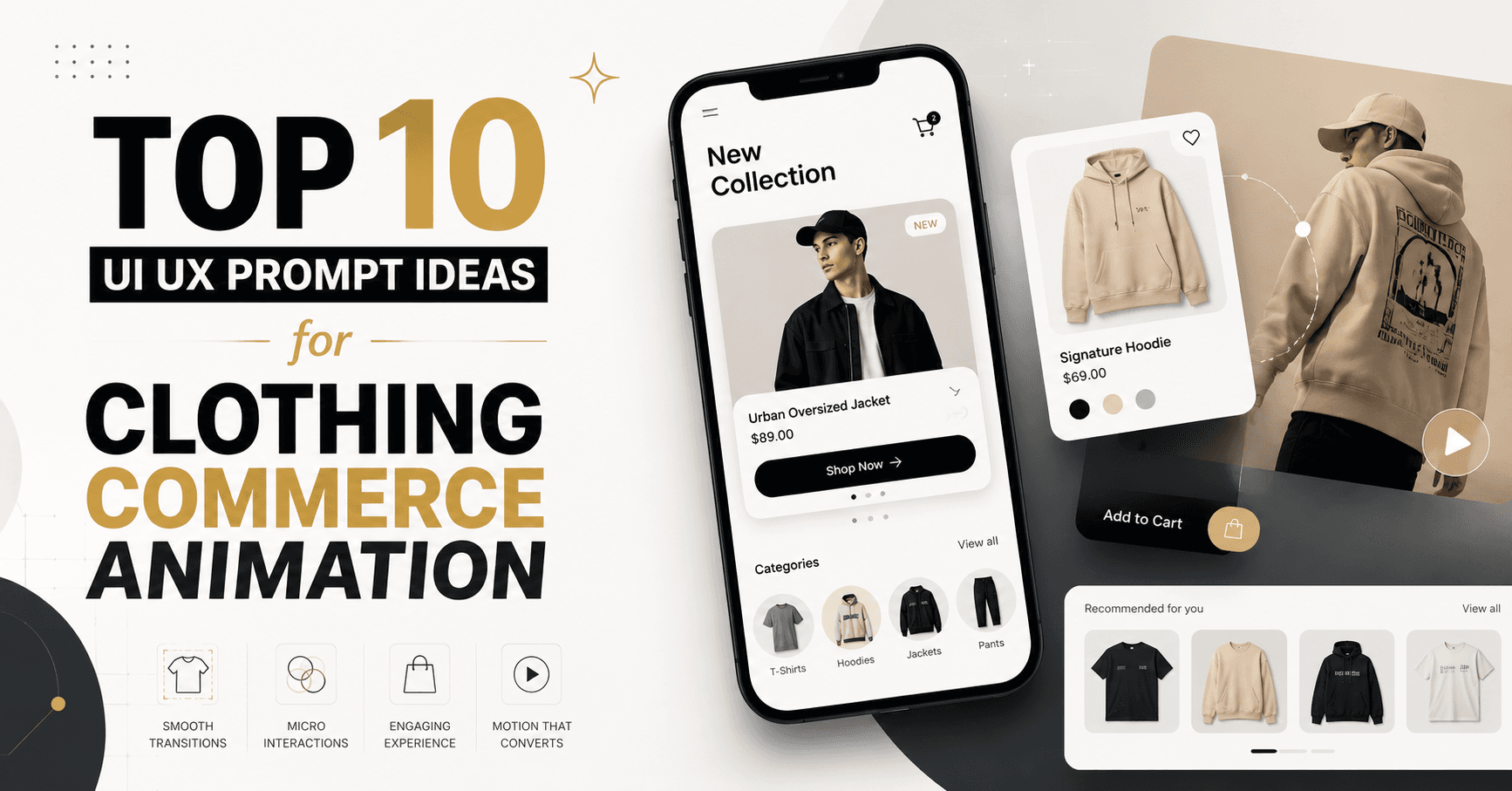
Here’s The Top 10 Modern UI/UX Prompts for a Clothing E-commerce Website with Three.js + GSAP
Replace variables such as [BRAND_NAME], [COLLECTION_NAME], [TARGET_AUDIENCE], and [BRAND_COLORS] before using these prompts in Cursor, Codex, Claude Code, Lovable, Bolt, or another AI design/code generator.
1. Cinematic 3D Product Showcase
Best for: Premium clothing brands, signature products, and new collection launches.
Act as a senior UI/UX designer, creative developer, and e-commerce conversion specialist.

Design and build a production-ready clothing e-commerce website for [BRAND_NAME], targeting [TARGET_AUDIENCE]. The visual direction should feel cinematic, premium, modern, editorial, and highly polished without sacrificing usability or conversion.

Use:
- Next.js App Router
- TypeScript
- Tailwind CSS
- Three.js or React Three Fiber
- GSAP with ScrollTrigger
- Accessible semantic HTML
- Responsive mobile-first architecture

Create a full-screen hero featuring a high-quality 3D garment, such as a jacket, dress, shirt, or hoodie, floating in a clean studio environment. The product should rotate subtly based on pointer movement and device orientation. Add soft shadows, realistic material lighting, fabric texture, and restrained depth-of-field.

GSAP animation sequence:
1. Brand logo fades and slides upward.
2. Headline reveals line-by-line using a masked text animation.
3. The 3D product scales from 0.85 to 1 while rotating into position.
4. Product metadata and CTA buttons stagger into view.
5. On scroll, the camera moves closer to reveal fabric details.
6. The product transitions into the featured-product section.

Include:
- Announcement bar
- Transparent navigation that becomes solid on scroll
- Hero headline and concise value proposition
- “Shop Collection” and “Explore Product” CTAs
- New arrivals section
- Category cards
- Featured product storytelling section
- Shoppable lookbook
- Social proof
- Newsletter
- Premium footer

Product cards should include image swapping on hover, color swatches, size previews, wishlist, quick-add, and subtle magnetic hover feedback.

The product-detail page must include:
- Sticky image gallery
- Optional interactive 3D product viewer
- Variant and size selector
- Size guide
- Stock information
- Delivery estimate
- Product composition and care
- Reviews
- Related products
- Sticky mobile add-to-cart bar

Keep checkout, size selection, and cart interactions stable and free from excessive animation. Respect prefers-reduced-motion. Lazy-load the WebGL experience, provide a static fallback, optimize textures, avoid layout shifts, and maintain strong Core Web Vitals.

Do not use fake countdowns, fake stock numbers, autoplay audio, scroll hijacking, or unnecessary cursor effects.
2. High-Fashion Editorial Runway Experience
Best for: Designer labels, fashion campaigns, lookbooks, and strong photography.
Create an immersive editorial clothing e-commerce website for [BRAND_NAME] inspired by high-fashion magazines, runway campaigns, and modern digital art direction.

The experience should combine oversized typography, asymmetric grids, full-bleed fashion photography, monochromatic backgrounds, and restrained accent colors using [BRAND_COLORS].

Build the website using Next.js, TypeScript, Tailwind CSS, Three.js or React Three Fiber, and GSAP ScrollTrigger.

The opening experience should show a minimal 3D runway tunnel. Abstract fabric panels and translucent planes should move slowly through space while the camera travels toward the current collection. Use the Three.js scene as an atmospheric background, not as a distraction from navigation or shopping.

Create a scroll-driven editorial narrative:
- Chapter 1: Campaign introduction
- Chapter 2: Collection philosophy
- Chapter 3: Hero products
- Chapter 4: Complete looks
- Chapter 5: Shop the collection

Use GSAP for:
- Pinned horizontal lookbook sections
- Masked headline reveals
- Image clip-path transitions
- Parallax fashion photography
- Sequential product-detail reveals
- Smooth transitions between white and black sections
- Subtle image scaling during scroll
- Animated page transitions

Create a shoppable editorial lookbook where users can click unobtrusive hotspots to view the garments worn by each model. Opening a hotspot should display product name, price, available colors, sizes, and an add-to-cart action without navigating away from the lookbook.

Include:
- Minimal sticky navigation
- Collection selector
- Editorial campaign page
- Product listing page
- Product-detail page
- Lookbook
- Journal
- Search overlay
- Wishlist
- Cart drawer
- Account and checkout flows

Typography should create hierarchy but remain readable. Keep product names, prices, variants, stock status, and CTAs visually clear.

Mobile behavior should convert horizontal storytelling into vertical snap-free sections. Avoid forcing desktop animation patterns onto mobile. Add reduced-motion and non-WebGL fallbacks.

The final result should feel like a luxury fashion publication that remains fully shoppable and conversion-oriented.
3. Interactive 3D Virtual Wardrobe
Best for: Brands with multiple categories, colors, materials, or mix-and-match collections.
Design a modern clothing e-commerce experience for [BRAND_NAME] centered around an interactive 3D virtual wardrobe.

Use Next.js, TypeScript, Tailwind CSS, React Three Fiber, Drei, and GSAP.

The homepage hero should feature a stylized 3D clothing rack in a bright virtual studio. Display several garments hanging on the rack. Users can drag horizontally, use arrow controls, or select category tabs to browse the clothing.

Required Three.js interactions:
- Garments move naturally along the rack
- Selected garments slide forward toward the camera
- Hovering slightly lifts or rotates the selected product
- Color swatches update garment materials in real time
- Studio lighting adapts to light and dark garments
- Product selection triggers a smooth camera transition
- Background props use subtle parallax
- Provide an accessible 2D product carousel fallback

When users select a garment, open a side panel containing:
- Product name
- Price
- Color choices
- Size options
- Product description
- Availability
- Add to cart
- View full product details

Use GSAP for:
- Wardrobe entrance animation
- Camera and interface synchronization
- Side-panel transitions
- Product-card staggering
- Section reveal animations
- Cart drawer transitions
- Route-level page transitions

Create the following sections:
- Interactive wardrobe hero
- Shop by category
- New collection
- Trending products
- Complete the look
- Brand values
- Customer reviews
- Instagram-inspired gallery
- Newsletter
- Footer

The product-listing page should offer useful filters for category, color, size, fit, price, material, availability, and collection. Filters must be reflected in the URL and remain usable without animation.

The product-detail page should support a 3D viewer, but users must still have access to conventional product photography, zoom, model measurements, fit notes, size guide, and care instructions.

Prioritize usability and performance:
- Load basic commerce UI before the 3D scene
- Compress models with Draco or Meshopt
- Use optimized textures
- Pause rendering when the scene is outside the viewport
- Reduce geometry on mobile
- Disable expensive effects on low-power devices
- Support keyboard navigation and reduced motion

The experience should feel playful and tactile while preserving a straightforward shopping journey.
4. Minimal Luxury with Floating Fabric Simulation
Best for: Timeless, premium, minimalist, or “quiet luxury” brands.
Create a minimalist luxury clothing e-commerce website for [BRAND_NAME] using a refined visual system, generous whitespace, timeless typography, neutral colors, and subtle interactive motion.

Use Next.js, TypeScript, Tailwind CSS, Three.js or React Three Fiber, custom shaders where appropriate, and GSAP ScrollTrigger.

The hero should contain an abstract Three.js fabric sculpture floating behind the content. The fabric should move slowly as though affected by a gentle breeze. Use physically inspired movement or a restrained vertex shader, soft studio lighting, and a neutral background.

The fabric must remain abstract and lightweight. It should support the brand atmosphere without obscuring the headline, navigation, or CTA.

Hero content:
- Small collection label
- Strong editorial headline
- One-sentence brand proposition
- Primary “Shop Collection” CTA
- Secondary “Our Story” CTA
- Product or campaign metadata

GSAP motion direction:
- Slow, elegant, and intentional
- Character or line-based headline reveal
- Soft opacity and translate transitions
- Image masks that open vertically
- Product cards that rise slightly into view
- Sticky product-story sections
- Seamless background transitions
- Minimal page transition using opacity and scale

Include:
- Minimal header
- Featured collection
- Signature products
- Material and craftsmanship story
- Full-width campaign imagery
- Shop by category
- Product recommendations
- Brand manifesto
- Newsletter
- Footer

Product-card interactions should be restrained:
- Secondary image appears on hover
- Product information moves by only a few pixels
- Color swatches remain immediately visible
- Quick-add appears without covering important information
- No exaggerated tilt or bouncing

The product-detail experience should use a clean two-column layout with sticky product information, large imagery, fabric close-ups, size selection, fit information, delivery details, care instructions, and related products.

Use animation primarily for hierarchy and storytelling. Do not animate every element. Maintain strong contrast, readable text sizes, visible focus states, keyboard accessibility, and reduced-motion behavior.

The final result should communicate durability, craftsmanship, confidence, and premium quality rather than temporary fashion trends.
5. Streetwear Product Drop with 3D Holographic Display
Best for: Streetwear, limited releases, collaborations, and younger audiences.
Design a high-energy but usable streetwear e-commerce website for [BRAND_NAME] and the upcoming [COLLECTION_NAME] release.

Use Next.js, TypeScript, Tailwind CSS, Three.js or React Three Fiber, GSAP, and ScrollTrigger.

The visual identity should combine bold typography, dark industrial backgrounds, sharp grid layouts, high-contrast product photography, restrained neon accents, and subtle grain textures.

Create a Three.js hero scene resembling a futuristic product-display chamber. A hoodie, sneaker, cap, or jacket should rotate inside a transparent holographic enclosure. Use animated grid lines, particles, soft emissive lighting, and controlled glitch transitions.

The 3D scene must feel premium rather than visually chaotic.

GSAP opening sequence:
1. Interface frame draws into place.
2. Collection code and release date fade in.
3. Product enters the display chamber.
4. Headline reveals rapidly using masked typography.
5. CTA buttons appear with a short stagger.
6. Background elements settle into slower ambient motion.

On scroll:
- Camera moves around the hero product
- Product details appear as technical annotations
- Colorway panels slide horizontally
- Campaign photography enters with clip-path reveals
- Product cards animate into a release grid
- The hero scene dissolves into the catalog section

Include:
- Drop navigation
- Honest release date and availability
- Product categories
- Featured drop
- Previous releases
- Collaboration story
- Lookbook
- Community gallery
- Newsletter or release notification
- Footer

Product cards should show:
- Front and back imagery
- Available colorways
- Sizes
- Real availability state
- Quick-add or notify-me action
- Wishlist

Do not use fabricated scarcity, misleading timers, fake live visitor counts, or manipulative urgency. Countdown timers may only be shown when connected to a real release date.

On mobile, reduce particles and post-processing, use touch-controlled product rotation, provide a static image fallback, and keep add-to-cart controls thumb-friendly.

The result should feel energetic, exclusive, and culturally relevant while maintaining clear navigation, accessibility, and fast commerce interactions.
6. Modern Modest Fashion with Flowing 3D Textile Art
Best for: Women’s fashion, modest wear, dresses, abayas, hijabs, and brands such as Latiffa.
Create an elegant, modern, and emotionally warm clothing e-commerce website for [BRAND_NAME], a modest-fashion brand with the positioning “[BRAND_TAGLINE].”

Use Next.js, TypeScript, Tailwind CSS, React Three Fiber, GSAP, and ScrollTrigger.

Visual direction:
- Warm ivory, soft beige, muted rose, black, and subtle gold
- Elegant editorial typography
- Rounded but refined UI components
- Soft natural lighting
- Premium fashion photography
- Spacious layouts
- Modern Islamic geometric influences used very subtly
- No excessive ornamental decoration

Build a Three.js hero scene containing flowing fabric ribbons that form a graceful frame around the featured model or product. The ribbons should respond subtly to pointer movement and scroll velocity. Use soft cloth-like movement, realistic shadows, and restrained particles.

Do not generate distracting movements around the model’s face or product details.

GSAP animation direction:
- Gentle headline reveal
- Fabric ribbons slowly unfold during the hero entrance
- Campaign images reveal using soft vertical masks
- Product cards stagger upward
- Collection sections transition using subtle crossfades
- Testimonials and brand values appear progressively
- Navigation background changes smoothly on scroll

Homepage structure:
- Announcement bar
- Premium navigation
- Hero campaign
- Shop by category
- New arrivals
- Best sellers
- Featured collection
- “Complete the Look”
- Craftsmanship and durability story
- Editorial campaign section
- Customer reviews
- Journal or styling inspiration
- Newsletter
- Footer

Create categories such as:
- Dresses
- Outerwear
- Tops
- Bottoms
- Hijabs or accessories
- Essential collections

Product-detail page requirements:
- Large photo gallery
- Modest-fit information
- Model height and worn size
- Fabric opacity information
- Material and care
- Available colors
- Size chart
- Length measurements
- Delivery and return information
- Related styling recommendations
- Sticky mobile add-to-cart

The site must feel graceful, trustworthy, long-lasting, and contemporary. Avoid stereotypical visual treatment of modest fashion.

Support reduced motion, keyboard navigation, responsive typography, mobile-safe layouts, optimized image loading, WebGL fallbacks, and clear conversion paths.
For Latiffa — “Built to Last / Dibuat untuk Bertahan”, this would be the strongest foundation.
7. Sustainable Fashion Material Journey
Best for: Ethical fashion, natural fabrics, local production, and sustainability-focused collections.
Design a modern sustainable clothing e-commerce website for [BRAND_NAME] that communicates material quality, responsible production, transparency, and long-term product value.

Use Next.js, TypeScript, Tailwind CSS, Three.js or React Three Fiber, GSAP, and ScrollTrigger.

The visual direction should combine natural colors, tactile textures, contemporary editorial layouts, readable typography, and high-quality product photography. Avoid visual clichés such as excessive leaf icons or generic “eco” illustrations.

Create a scroll-driven Three.js material journey:
1. Individual fibers float into the scene.
2. Fibers combine into threads.
3. Threads form a woven textile surface.
4. The textile transforms into an abstract garment silhouette.
5. The garment transitions into the actual featured product.

Use particles, procedural lines, and texture displacement efficiently. The animation should be artistically simplified rather than scientifically literal.

Use GSAP ScrollTrigger to synchronize:
- Camera progression
- Fiber transformation
- Material facts
- Production-stage descriptions
- Image reveals
- Sustainability metrics
- Product recommendations

Homepage sections:
- Hero and brand mission
- Material journey
- Featured responsible collection
- Shop by material
- Product traceability
- Craftsmanship
- Repair and care program
- Impact information
- Customer stories
- Journal
- Newsletter
- Footer

Product pages should include:
- Product gallery
- Material composition
- Fabric origin
- Production location
- Care and repair instructions
- Durability information
- Packaging information
- Size and fit
- Delivery details
- Related products

Create an optional “Product Journey” drawer that displays stages such as material sourcing, textile production, manufacturing, quality control, and shipping. Only display claims supported by real backend data. Do not invent environmental scores or certifications.

GSAP animations should feel organic and smooth, with soft easing and restrained parallax.

Prioritize truthful communication, accessibility, SEO, performance, and conventional shopping interactions. Users must be able to browse and buy products without completing the immersive story.

Provide static illustrations and content fallbacks when WebGL is unavailable or reduced motion is enabled.
8. Interactive 3D Outfit Builder
Best for: Brands selling coordinated outfits, capsule wardrobes, or “shop the look” collections.
Create a modern clothing e-commerce website for [BRAND_NAME] featuring an interactive 3D outfit builder.

Use Next.js, TypeScript, Tailwind CSS, React Three Fiber, Drei, GSAP, and a scalable component architecture.

The central experience should allow users to build an outfit by combining:
- Tops
- Outerwear
- Bottoms
- Dresses
- Footwear
- Bags
- Accessories

Display a simplified 3D mannequin or product-composition stage in the center. The mannequin should not require photorealistic human rendering. Use an elegant stylized form that keeps attention on the clothing.

Interaction requirements:
- Select products from a category drawer
- Drag products onto the outfit stage
- Swap colors and variants
- Rotate the composition
- Save the outfit
- Share the outfit
- Add individual products to cart
- Add the complete outfit to cart
- Display unavailable size combinations clearly
- Calculate the real combined price
- Never silently replace unavailable variants

Use GSAP for:
- Garment transitions
- Category drawer animations
- Outfit-stage camera movement
- Product-selection feedback
- Price updates
- Saved-look confirmation
- Add-all-to-cart animation
- Smooth mode switching between “Build” and “Preview”

Include homepage sections:
- Hero
- Featured collections
- Outfit builder preview
- Trending complete looks
- Shop by category
- Stylist recommendations
- Customer-created looks
- Brand story
- Newsletter
- Footer

Create a dedicated outfit-builder page with:
- Category navigation
- Product search
- Filtering
- Central preview
- Selected-item list
- Size controls
- Running price total
- Save and share controls
- Sticky add-to-cart summary

The mobile version should use a full-screen product drawer and a simplified 3D or layered 2D preview. Avoid cramped drag-and-drop interactions; provide tap-to-add as the default mobile behavior.

Optimize 3D assets through reusable garment geometry, compressed textures, lazy loading, and rendering only when visible. Include static image fallbacks and reduced-motion support.

The experience should increase cross-selling without making the user feel pressured or confused.
9. Mobile-First Social Fashion Store
Best for: Gen Z audiences, creator-led brands, mobile traffic, and fast product discovery.
Design a mobile-first clothing e-commerce website for [BRAND_NAME] that combines the speed of social content discovery with the trust and usability of a professional online store.

Use Next.js, TypeScript, Tailwind CSS, Three.js or React Three Fiber, and GSAP.

The experience should prioritize one-handed mobile use, fast product browsing, large touch targets, clear pricing, and immediate variant selection.

Create a vertical product-discovery experience where each collection appears as a full-screen visual chapter. Use a lightweight Three.js scene to display a rotating stack of product cards or garments. Swiping or scrolling should move the stack forward with subtle depth.

Do not trap the user inside a forced snap-scroll experience. Normal scrolling must remain available.

Use GSAP for:
- Product-card depth transitions
- Vertical chapter reveals
- Bottom-sheet interactions
- Quick-add animations
- Cart feedback
- Filter transitions
- Image-to-product-detail shared transitions
- Micro-interactions for wishlist and variant selection

Homepage structure:
- Compact announcement bar
- Mobile navigation
- Campaign hero
- Swipeable category chips
- New arrivals
- Trending videos or campaign clips
- Shoppable creator looks
- Best sellers
- Customer content
- Recently viewed
- Newsletter
- Footer

Product cards must support:
- Immediate price visibility
- Color selection
- Size preview
- Wishlist
- Quick-add
- Clear sold-out state
- Secondary imagery
- Optional short muted product video

Create a sticky mobile commerce bar containing search, categories, wishlist, cart, and account. Keep it compact and accessible.

Product-detail pages should contain:
- Vertical media gallery
- Video and imagery
- Optional lightweight 3D product rotation
- Sticky add-to-cart control
- Size and fit information
- Delivery estimate
- Review summary
- Complete-the-look recommendations

Never autoplay audio. Videos must be muted and user-controllable. Respect reduced data settings where possible, load posters before videos, and avoid downloading 3D assets before they are needed.

Desktop should expand the layout into editorial grids rather than stretching the mobile design.

The final experience should feel fast, contemporary, social, and visually engaging without copying the interface of a specific social-media platform.
10. Immersive Seasonal Collection Storytelling
Best for: Ramadan, Eid, holiday, summer, winter, wedding, or limited seasonal campaigns.
Create an immersive seasonal clothing e-commerce campaign for [BRAND_NAME] titled “[COLLECTION_NAME].”

Use Next.js, TypeScript, Tailwind CSS, Three.js or React Three Fiber, GSAP, ScrollTrigger, and accessible responsive components.

Organize the experience as a series of visual chapters. Each chapter should introduce a different mood, outfit group, or moment from the collection.

Example chapters:
1. Collection introduction
2. Morning or casual looks
3. Work or formal looks
4. Evening looks
5. Signature products
6. Complete collection

Create a Three.js environment that evolves between chapters. The scene may include abstract architecture, fabric planes, light, shadows, particles, flowers, geometric objects, or atmospheric elements appropriate to the campaign.

Avoid creating a literal video game environment. The scene should function as an editorial background and transition system.

GSAP ScrollTrigger behavior:
- Pin the Three.js canvas while editorial content changes
- Animate camera movement between visual zones
- Transition environmental lighting
- Reveal chapter titles with masked typography
- Introduce products with controlled stagger
- Crossfade campaign imagery
- Animate product hotspots
- Transition seamlessly into the normal product catalog

Each chapter should contain:
- Campaign imagery
- Short editorial copy
- Featured products
- Shop-the-look controls
- Product price and variants
- Clear CTAs
- Optional behind-the-scenes content

After the immersive campaign, transition into a conventional collection page with:
- Filters
- Sorting
- Product grid
- Quick-add
- Wishlist
- Pagination or load more
- Recently viewed products

Provide a visible “Skip to Collection” action near the beginning. Users should never be forced to complete the storytelling sequence before shopping.

On mobile:
- Shorten the camera journey
- Reduce decorative objects and particles
- Replace complex pinned scenes with lighter transitions
- Keep products and CTAs immediately accessible
- Avoid viewport-height bugs
- Support safe-area insets

Use progressive enhancement, compressed models, adaptive device quality, static scene fallbacks, and reduced-motion alternatives.

The final design should feel cinematic and memorable while remaining an effective, fast, and accessible e-commerce experience.
Recommended Production Rules for All 10 Concepts
Add this block to any prompt when requesting implementation:
Production requirements:

- Build reusable, typed components rather than one large page component.
- Separate Three.js rendering logic from commerce and application state.
- Do not store important product information only inside the canvas.
- All products, prices, variants, stock states, and CTAs must exist in accessible HTML.
- Use Server Components where appropriate and Client Components only for interactions.
- Lazy-load Three.js, GSAP plugins, videos, and non-critical media.
- Pause the render loop when the canvas is not visible.
- Use adaptive DPR and lower rendering quality on low-power devices.
- Compress GLTF assets with Draco or Meshopt.
- Use KTX2 or optimized WebP/AVIF textures where appropriate.
- Avoid unnecessary bloom, motion blur, and expensive post-processing.
- Provide static visual fallbacks when WebGL is unsupported.
- Respect prefers-reduced-motion.
- Preserve keyboard navigation and visible focus states.
- Use semantic headings and accessible form controls.
- Prevent animation from delaying product discovery or add-to-cart actions.
- Keep cart, checkout, payment, authentication, and form-validation interactions simple and predictable.
- Avoid cumulative layout shift.
- Optimize for Core Web Vitals, SEO, structured product data, and social sharing.
- Create loading, empty, error, sold-out, and offline-friendly states.
- Do not use fake reviews, fake inventory, fake urgency, or misleading discounts.
For Latiffa, the strongest combination would be Prompt #6 as the primary art direction, Prompt #1 for the featured-product experience, and Prompt #8 for a “Complete the Look” feature.